Simply Digital Solutions – Lead Generation Solutions for Business Owners

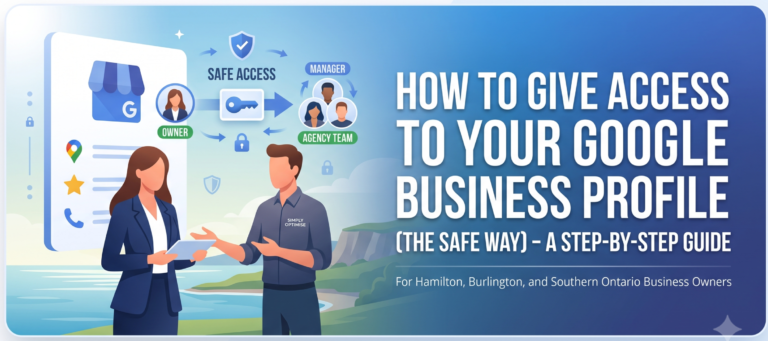
Step-by-Step guide to sharing access of Google Business Profile
Step 1: Sign in to Your Google Account
First, ensure you are logged into the Google account that currently has primary ownership of your business profile.
(If you aren’t sure which account this is, try logging into your usual Gmail accounts and searching for your business—Google will tell you if you manage it!)
Step 2: Find Your Business on Google Search
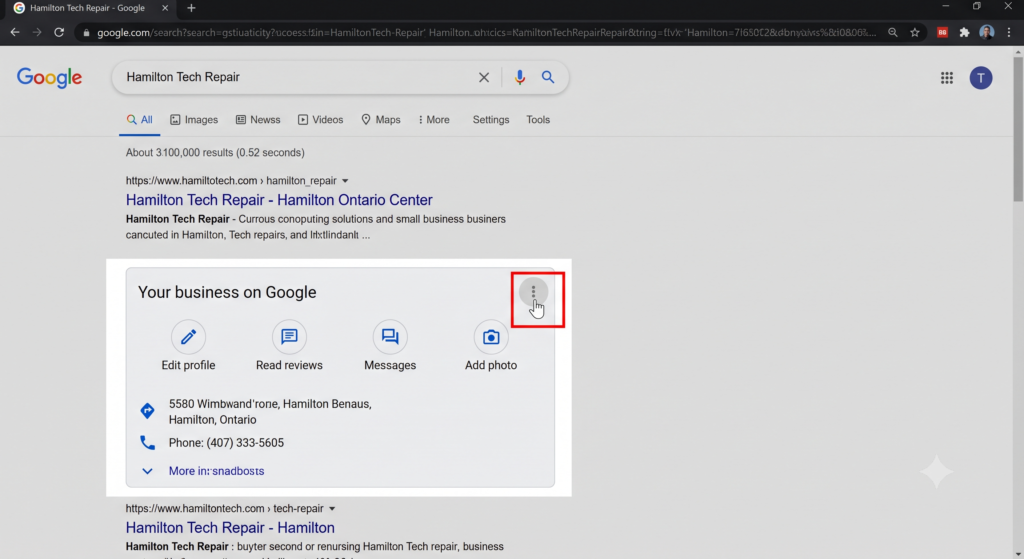
Google recently moved profile management directly to the search engine results page. Simply type your exact business name into the Google search bar, or just type “my business”.
You will see a dashboard appear right at the top of the search results with your business information.
Step 3: Open Business Profile Settings
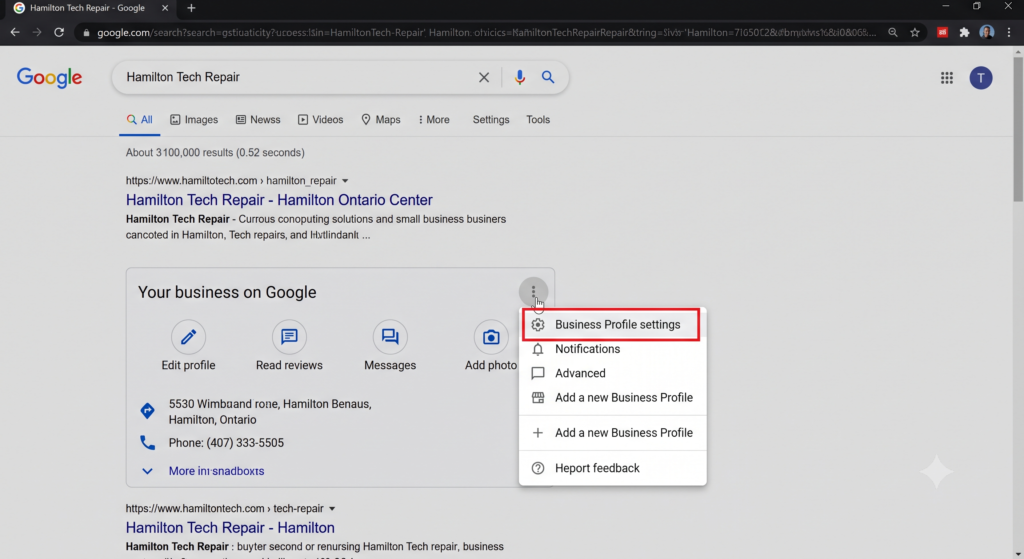
Look for the three vertical dots (the menu icon) in the top right corner of your business dashboard panel. Click on those dots, and a dropdown menu will appear.
Select Business Profile settings from the list.
Step 4: Navigate to Managers and Access
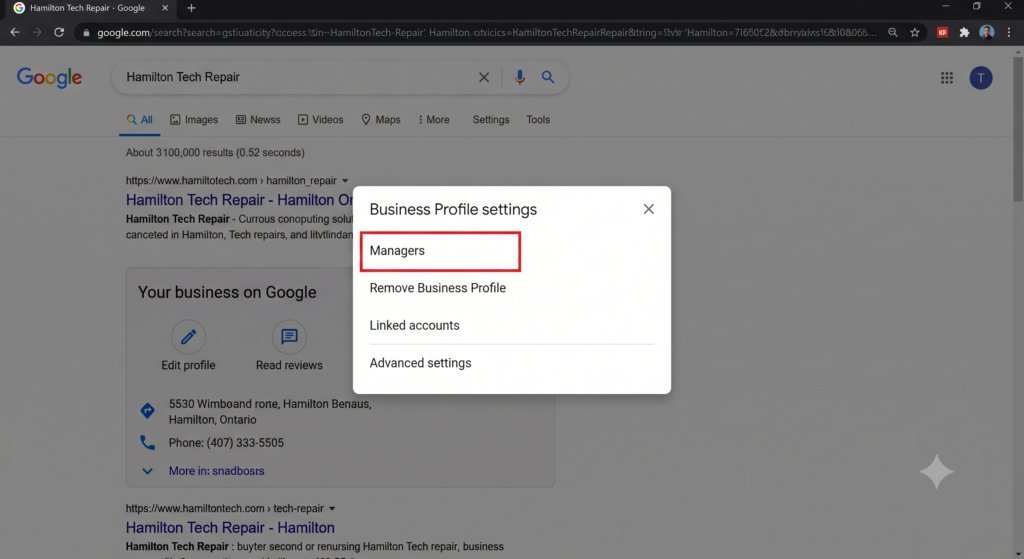
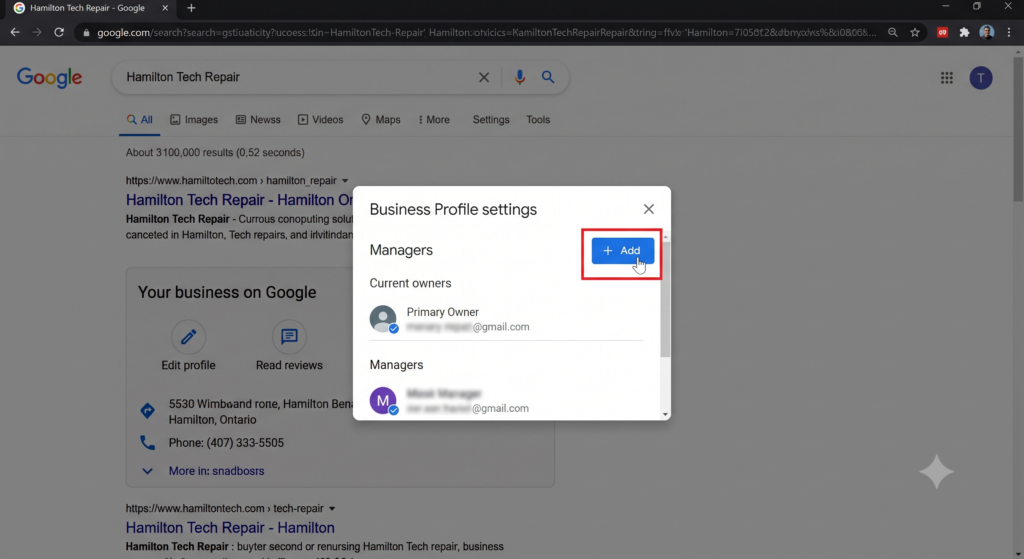
In the settings menu that pops up, click on Managers (sometimes labeled as People and access depending on your exact profile setup).
This section will show you a list of everyone who currently has access to manage your business listing.
Step 5: Invite a New User
Click the Add button (usually represented by a person icon with a plus sign).
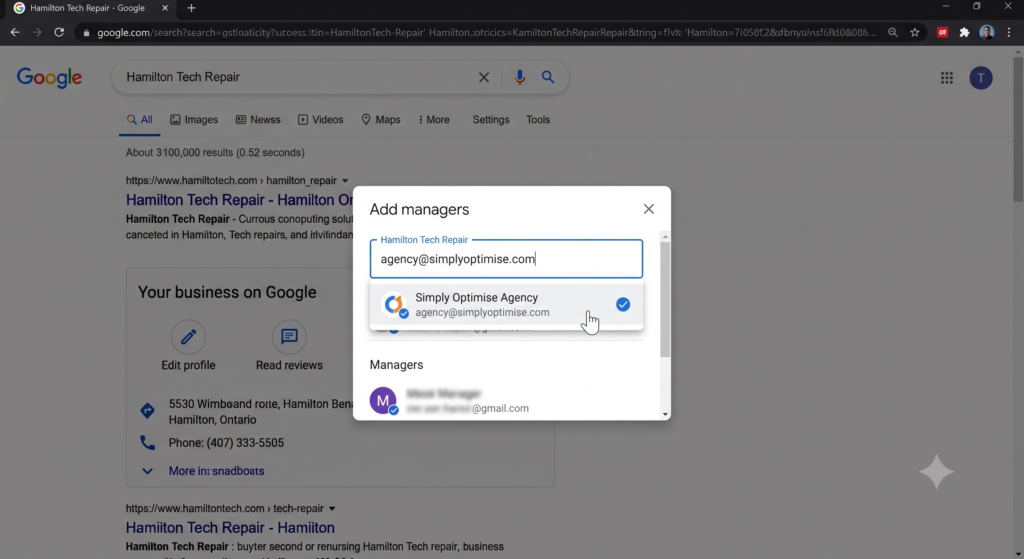
A new window will open asking for an email address. Type in the email address of the person or agency you want to grant access to.
Step 6: Choose the Right Role
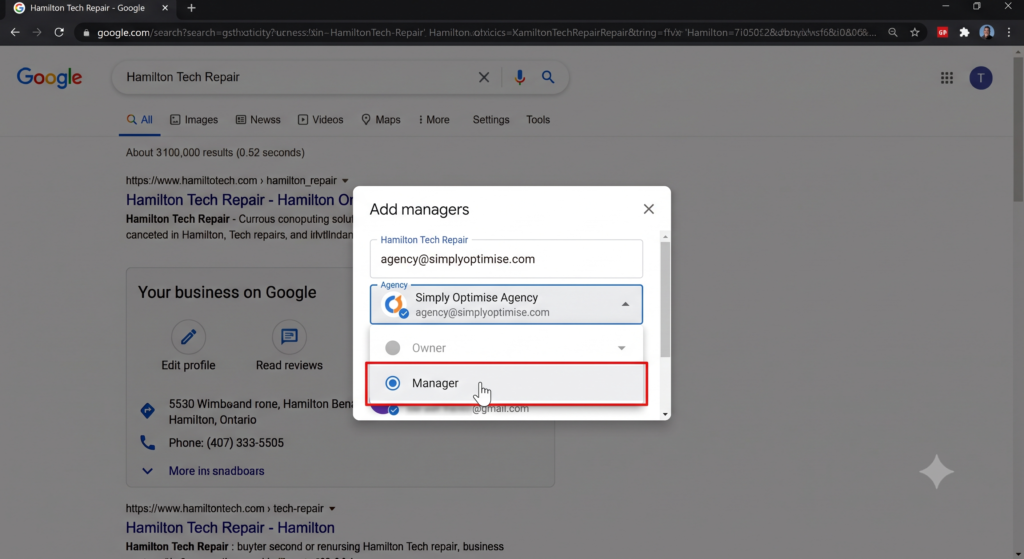
This step is crucial. Google allows you to assign different levels of access:
Owner: Can edit all business info, add/remove other users, and delete the profile entirely. You should retain Primary Ownership.
Manager: Can do almost everything an owner can do (update hours, reply to reviews, post updates, add photos) but cannot delete the profile or manage other users.
Pro Tip: If you are granting access to an SEO agency, selecting Manager is the standard best practice.
Step 7: Send the Invitation
Once you’ve entered the email and selected the role, click Invite.
The person will receive an email notification from Google with an invitation to manage your profile. Once they click “Accept” in their email, they will instantly have the access they need to start optimizing your listing!
Ready to Dominate Local Search?
Getting your Google Business Profile set up and securely shared is just the first step. The real magic happens when you consistently optimize it with the right keywords, fresh updates, and strategic review management.
If you’re looking to scale your local reach without the headache of managing it yourself, we can help. At Simply Optimise, we specialize in driving real traffic to businesses across Southern Ontario.
Contact us today, and let’s turn your search presence into your biggest asset.